


How Maya Is Used by Online Bettors in the Philippines
Maya can be used with some online betting services where the operator currently offers it as a payment option. This article explains how deposits and withdrawals work, what changed after e-wallet gambling links were removed, and what to check before sending funds.
Maya as an Online Betting Payment Method
Maya sits in a practical middle ground between a bettor’s money and an online betting account. The wallet holds PHP, handles transfers, and gives users a familiar way to move funds without entering card details every time. It does not become part of the betting balance itself.
That distinction is simple, but it prevents a lot of confusion. A successful Maya payment and a credited betting balance are two separate events. If PHP 1,000 leaves Maya at 8:15 p.m. but the betting balance still shows zero at 8:18 p.m., the first thing to check is whether the payment was completed, pending, or still being processed.
Maya is regulated as a Philippine financial service, while betting operators manage their own cashier rules. This means the limits, verification steps, and available payment routes may not match.
Maya Balance and Betting Balance Stay Separate
Think of the transaction as movement between two systems:
- Maya controls the wallet balance and payment authorization.
- The betting operator controls the gaming balance.
- A payment processor may sit between them.
- Each side can have its own transaction status and limits.
This becomes especially important when a deposit is delayed or a withdrawal is marked complete before the funds appear in Maya.
Maya Access After the E-Wallet Gambling Changes
Maya should no longer be treated as a doorway into online betting services.
In August 2025, the Bangko Sentral ng Pilipinas directed supervised financial institutions to remove links that redirected users from payment apps and websites to online gambling services. Maya subsequently removed gambling access through its Games section.
The practical effect is clear: Older instructions telling users to open a betting service directly inside Maya are no longer reliable.
That does not automatically mean every Maya-related betting payment has disappeared. A betting operator may still show Maya or a Maya-supported payment route in its cashier, depending on its current processor, account setup, and compliance requirements.
Maya Is a Payment Tool, Not a Betting Gateway
The normal flow now starts with the betting account, not the Maya app.
A bettor opens the cashier, checks the payment methods available at that moment, and selects Maya only if it is listed. The exact instructions displayed for that transaction should be followed rather than relying on screenshots or account details saved from an earlier deposit.
Payment support can change quickly, so a method that worked last month may not appear today.
Making a Maya Deposit
A good Maya deposit begins before the payment confirmation screen.

Making a Maya Deposit
The first check should be the available wallet balance. The second should be the deposit range accepted by the betting account. These are not the same limit.
A bettor might have PHP 20,000 available in Maya while the cashier accepts only PHP 500 to PHP 10,000 per transaction. The reverse can happen as well: The betting account may allow a larger deposit, but the Maya account has already reached its remaining transfer limit.
Check the Payment Details First
Before approving any Maya transaction, confirm:
- Deposit amount
- Recipient or merchant information
- Payment reference
- Account or wallet instructions
- Any displayed fee
- Betting account receiving the funds
A one-digit mistake matters far more than a few seconds spent checking the screen.
Follow the Current Cashier Instructions
When Maya is available, the deposit process usually follows this pattern:
- Open the betting account cashier.
- Choose Deposit.
- Select Maya if it is currently offered.
- Enter the amount.
- Follow the generated payment instructions.
- Confirm the transaction through Maya.
- Keep the reference number until the betting balance updates.
For example, if PHTAYA currently lists Maya in its cashier, the payment details shown for that specific deposit should take priority over an older guide, saved QR code, or previously used recipient.
Reusing old payment information is risky because processors and merchant accounts can change.
Withdrawing Betting Funds to Maya
Withdrawals require a different mindset from deposits.
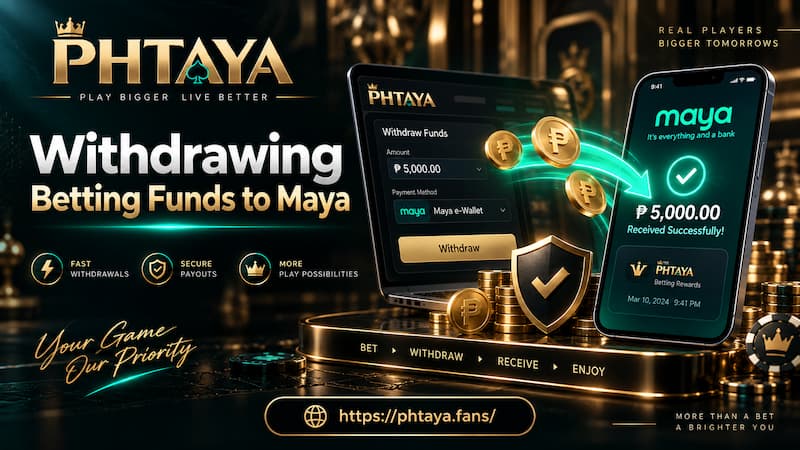
Withdrawing Betting Funds to Maya
A successful Maya deposit does not guarantee that Maya will also appear as a withdrawal option. Some betting accounts separate deposit channels from payout channels, while others require the withdrawal method to match previously verified payment information.
Before submitting a payout, check the available withdrawal list rather than assuming Maya will be there.
Match Account Information Carefully
Names, mobile numbers, and wallet details should match the information requested during withdrawal.
Small differences can trigger extra checks. A payout entered under one name while the wallet is verified under another may take longer to process even when both accounts belong to the same person.
It also helps to separate two timelines:
- Operator processing time: The period before the withdrawal is approved and released.
- Payment settlement time: The period after release before the money reaches Maya.
A withdrawal marked “approved” does not always mean the PHP balance should already be visible in Maya.
When Maya Does Not Appear
If Maya is missing from the withdrawal menu, do not force the payment through another route using copied wallet details.
Use one of the withdrawal methods currently offered. If a previous Maya withdrawal is already being processed, keep the transaction ID and check which side is holding the transfer before contacting support.
Maya Limits, Fees, and Payment Routes
Maya account limits depend on account status and verification. Betting operators also create their own minimums and maximums.
These limits should be treated separately.
A bettor may encounter three different restrictions during one transaction:
- Maya wallet or transfer limit
- Payment processor limit
- Betting cashier limit
For example, a cashier may allow a PHP 30,000 deposit while the remaining transfer allowance in Maya is only PHP 12,000. The cashier amount may be valid, but the payment can still fail.
Fees Are Not Always the Same
It is also a mistake to assume every Maya transaction is free.
The cost depends on how the funds move. A direct wallet transaction, bank transfer, cash-in method, merchant payment, or processor-assisted transfer may have different charges.
Before confirmation, look at the final amount rather than the requested amount alone.
If PHP 5,000 is being deposited, check whether Maya is sending exactly PHP 5,000 or whether a service charge is added separately. The same applies to withdrawals: An operator or payment processor may impose its own fee even when Maya itself does not.
Failed and Delayed Maya Transactions
Most payment problems are easier to solve when the transaction record is preserved.
If money leaves Maya but the betting balance does not change, sending a second payment immediately is usually a poor reaction. It can turn one delayed deposit into two separate transactions that both need tracing.
Deposit Completed but Balance Is Missing
Start with the Maya transaction history.
Check:
- Payment status
- Exact amount
- Date and time
- Recipient details
- Reference number
Then compare those details with the betting cashier record.
If the transaction is marked pending, the problem may still be inside the payment route. If Maya shows it as completed but the betting balance remains unchanged, the reference number becomes the most useful piece of evidence.
Withdrawal Approved but Not Received
For withdrawals, first confirm that the correct Maya details were submitted.
Then check whether the operator says “processing,” “approved,” “paid,” or “completed.” These statuses can describe different stages.
A payment marked paid on the betting side may still need settlement before Maya reflects the balance.
Incorrect Recipient Details
This is where prevention matters most.
Electronic transfers can be difficult to reverse once properly authenticated and completed. Before approving any transaction, reread the mobile number, recipient, amount, and reference instead of treating the confirmation screen as routine.
Using Maya With PHTAYA
When Maya is offered as a cashier option, the safest approach is to work from the current payment screen rather than memory.
Check the minimum deposit, maximum deposit, current recipient instructions, and whether Maya is also available for withdrawals. If the cashier generates a fresh payment reference or QR code, use that information only for the transaction it belongs to.
Also compare the requested amount with the remaining Maya account limit before starting. A PHP 15,000 deposit can fail even when the betting cashier accepts it if the wallet cannot complete another PHP 15,000 transfer that day.
Keep the Maya reference until the transaction is fully reflected in the betting balance.
Checking a Betting Service Before Paying
Maya makes transferring money convenient, but convenience should not replace verification.
Before sending PHP to any betting service, confirm the correct domain, cashier page, payment recipient, and transaction instructions. PAGCOR also provides resources for checking authorized online gaming providers, which is useful when legitimacy is uncertain.
Avoid payment details copied from chat groups, old screenshots, or unofficial social accounts. A real cashier instruction should match the transaction you are making now.
For Maya users, the strongest habit is simple: Check the recipient, check the amount, keep the reference number, and treat every deposit or withdrawal as a financial transaction first and a betting transaction second.